Workout tracker app for iPhone
Log a set in two taps, check what you trained last week, and see from the numbers whether you're moving forward.


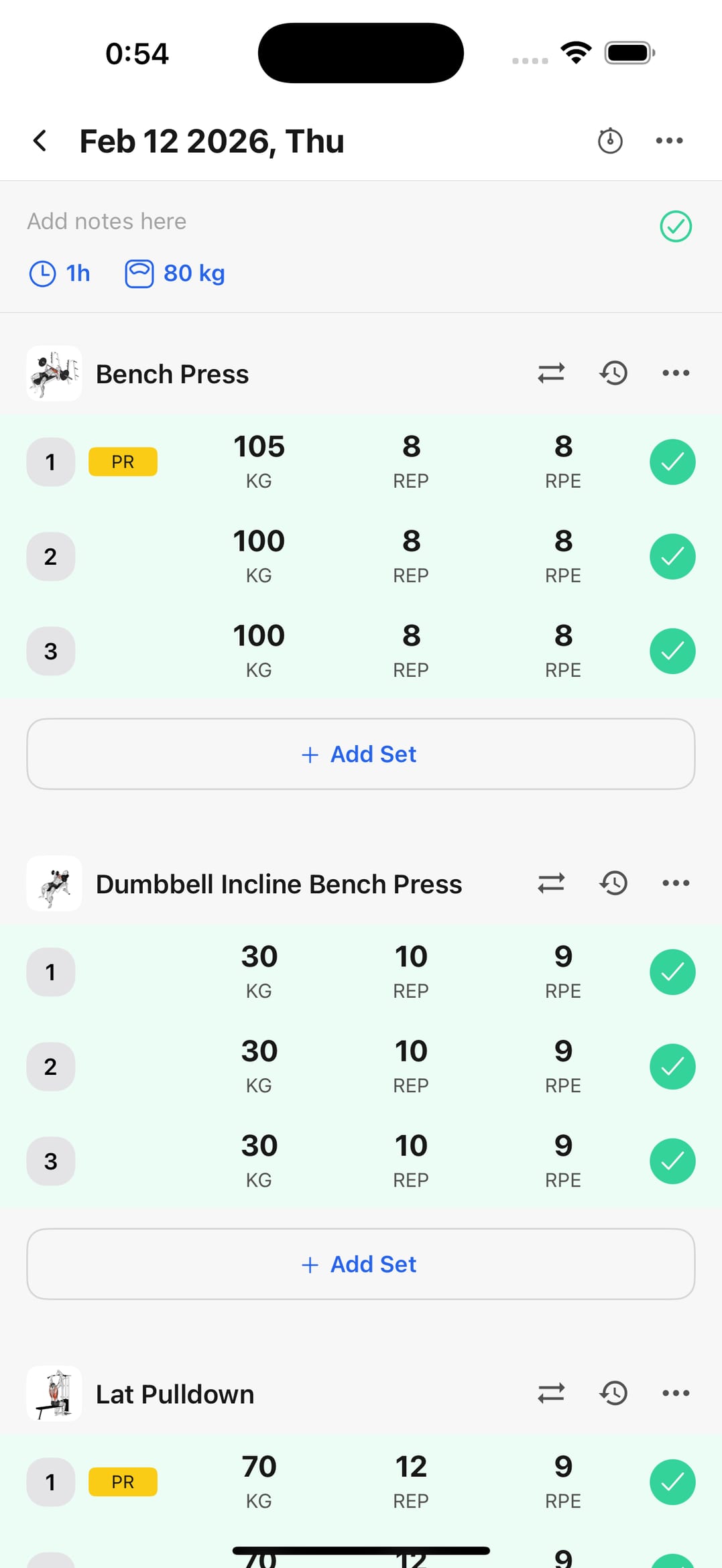
Record without the phone taking over the session
Weight, reps, and notes during your rest. The aim is for the workout to stay the workout, not the app.
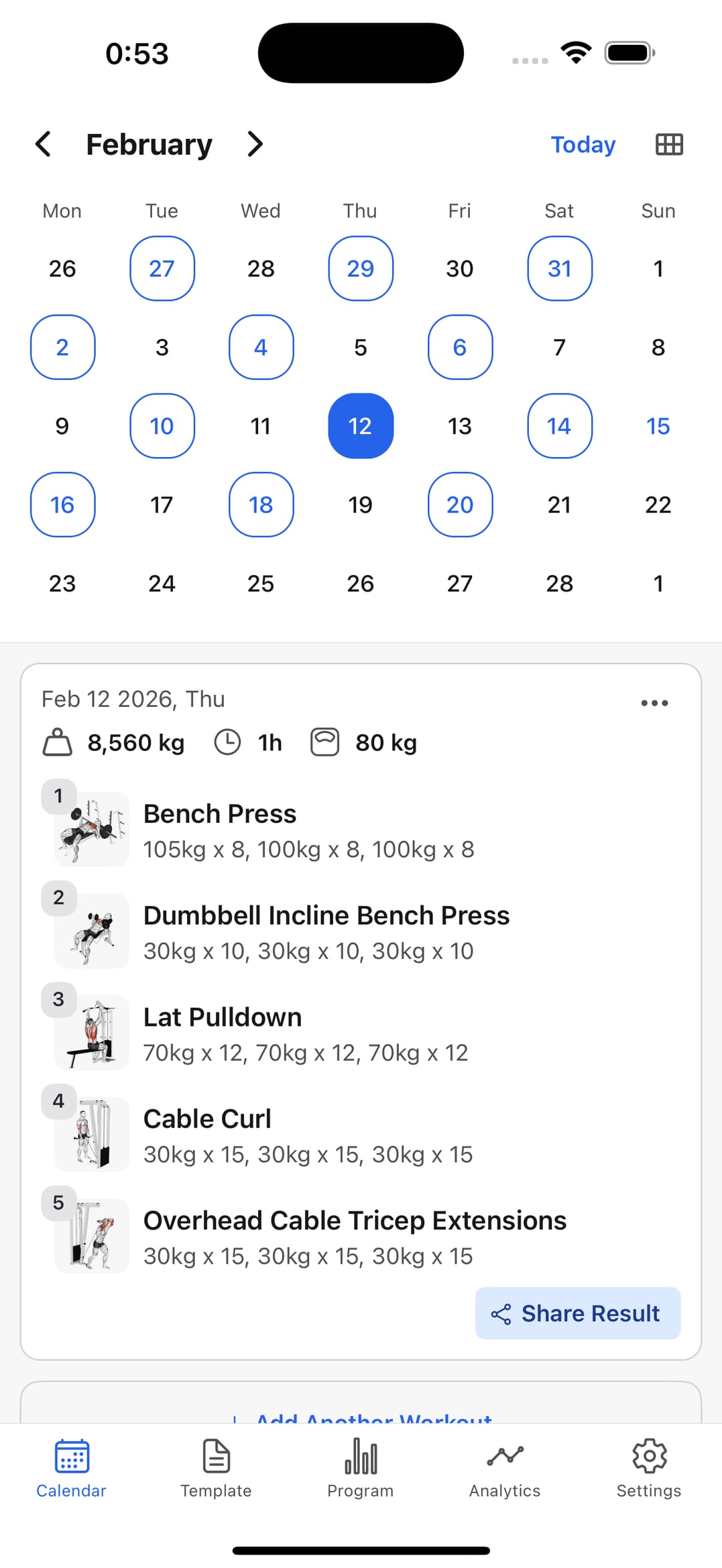
Pull up your history by date
What you trained last Monday, at what weight, for how many sets. All in the calendar, without digging through scattered notes.
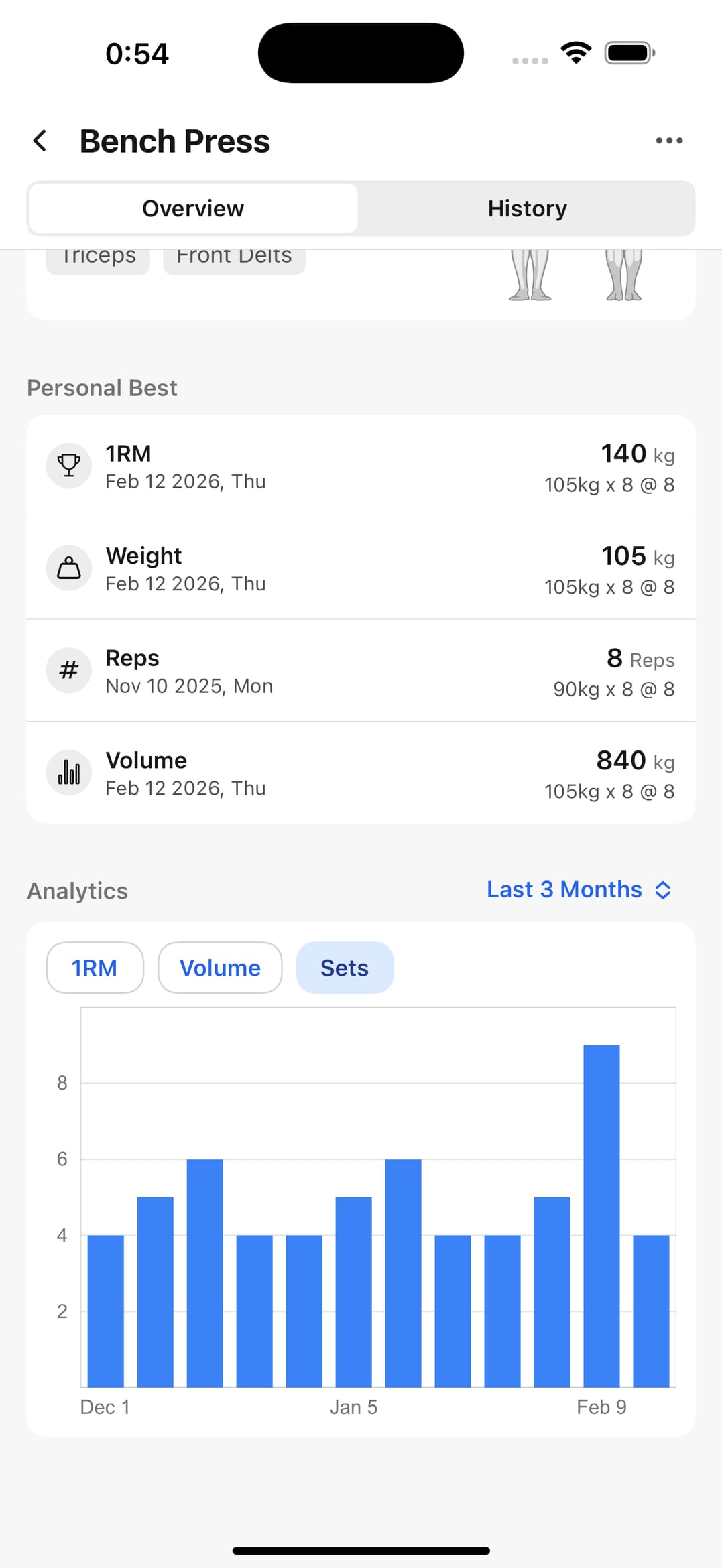
Track progress exercise by exercise
Volume, personal bests, and estimated 1RM calculated automatically from what you log. That's what tells you when to add load.
Workout tracking on iPhone
Reliable logging and clear numbers for training consistently.
Fast logging
Each set's data in very few steps.
Exercise library
Built-in movements plus any variations you create.
Calendar history
History and training frequency in one view.
Reusable templates
Launch your usual routines with a single tap.
Progress analytics
Compare sessions and decide the next adjustment.
Frequently asked questions
Is the app built for iPhone?
Yes. WorkoutWise is on the App Store for iPhone and also available on Android — the logging flow is the same on both.
Does it work for strength training and general routines?
Yes. You log the same data either way, and tracking runs per exercise, so every movement keeps its own progression.
Can I keep a long history?
Yes. Sessions are organized by date, so you can compare this month against six months ago without losing the detail of each set.
Is it suitable for beginners and advanced lifters?
Yes. Start by logging just weight and reps, then add RPE, notes, or deeper analytics whenever you need them.
Download it on your iPhone and log today's session
After a week you'll have history to set your loads against. Free to start.