Best weightlifting tracker app
The best one is the one you're still using in three months. Three things decide that: logging speed, whether the data is useful, and how easy it is to come back.


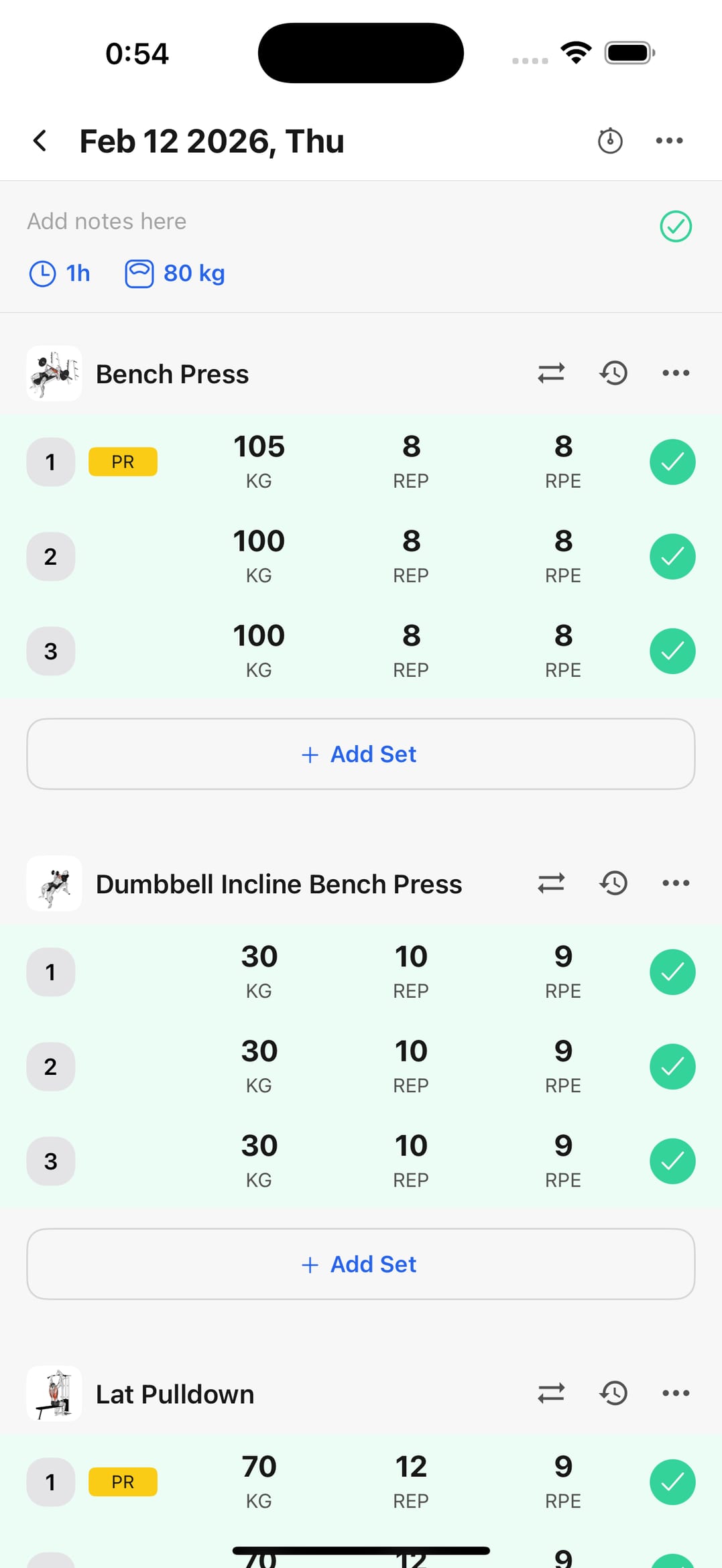
First: how long does it take to log a set?
It's the gesture you repeat twenty times a session. If it takes more than a couple of taps, you'll stop logging — and then there's nothing left to analyze.
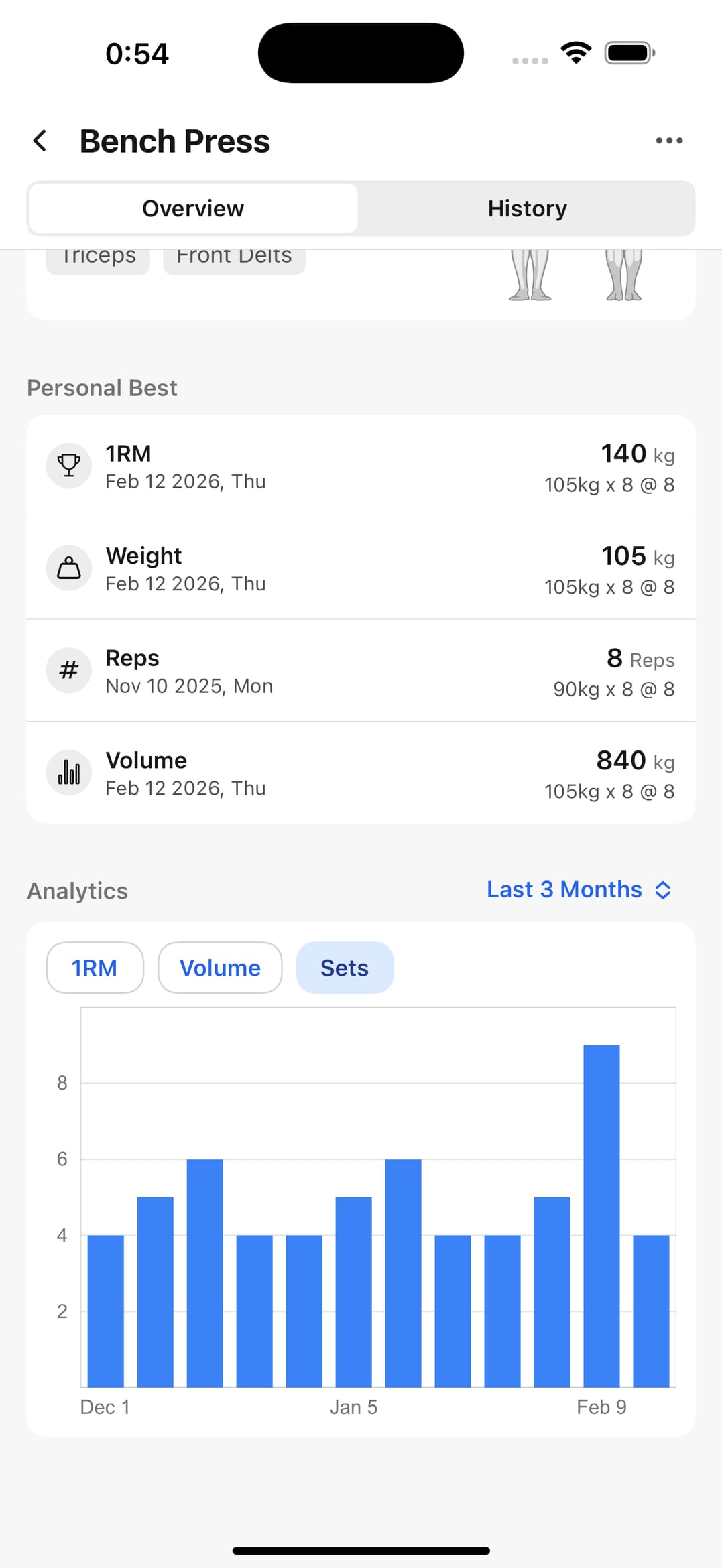
Second: do the numbers tell you what to do?
A nice chart is worthless if it doesn't answer "do I add weight this week?" Look for volume per exercise, personal bests, and estimated 1RM.
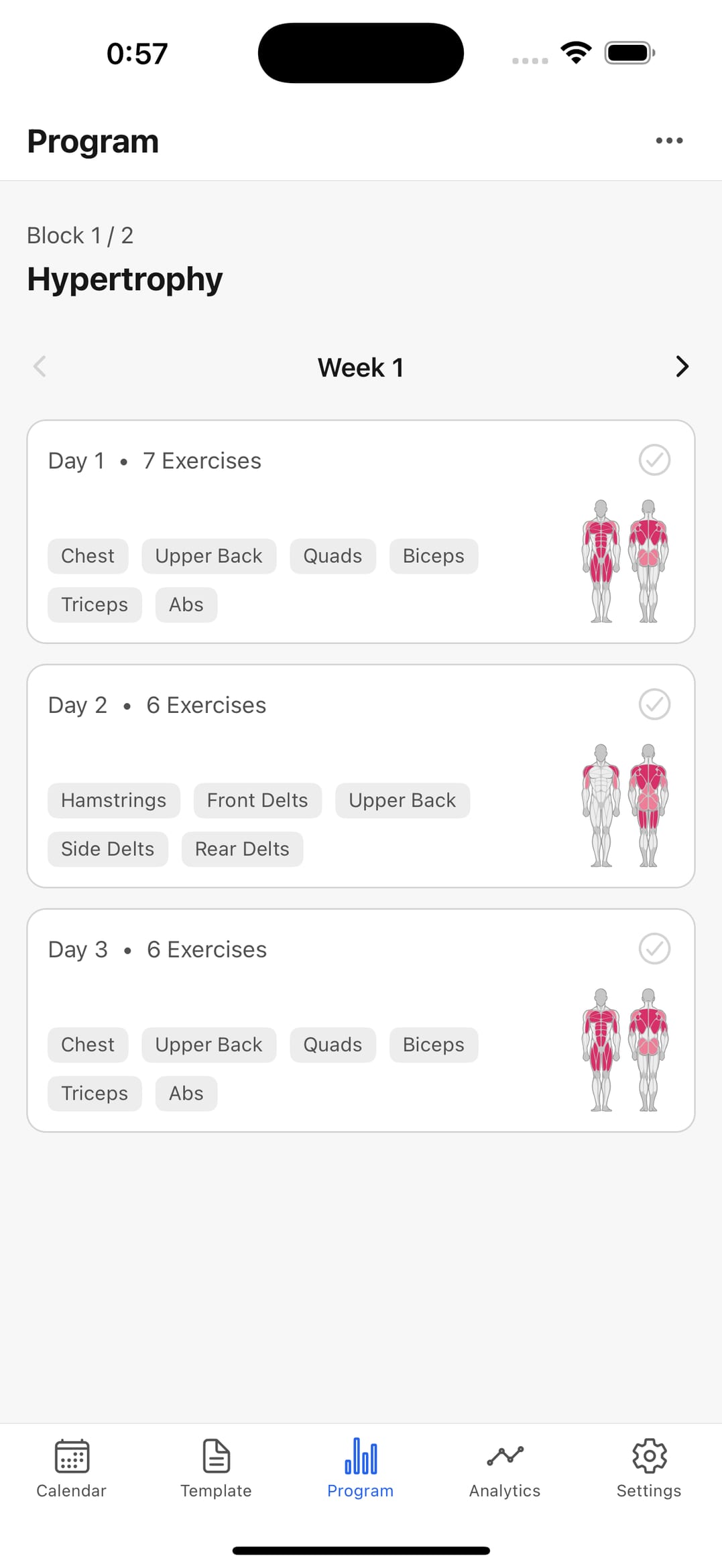
Third: does it help you come back tomorrow?
Templates so you're not rebuilding the session each time, and a calendar that makes the gap obvious. Logging is easy; sustaining it six months isn't.
The comparison points that matter
Judge on what changes your training, not on the longest feature list.
Fast logging
Sets recorded during the session, not from memory afterwards.
Analytics you'd act on
Volume and performance you can set next week's load against.
Workout history
Previous sessions findable by date, with enough detail to compare.
Template support
Reuse what works instead of rebuilding repeated sessions.
Shareable results
Export progress when you want outside accountability.
Frequently asked questions
How do I know if an app is right for me?
Test it for two real training weeks, not one evening on the sofa. If you're still logging sets a month later, it's the right one — the best app is the one you don't delete.
What separates a good tracker from an average one?
It helps you decide. Anything can record numbers; what's valuable is data that tells you when to add load, where you've stalled, and whether your frequency has slipped.
Should I pay from the start?
No need. Start with free logging and analytics and confirm the habit sticks; you can decide about advanced features once you know you'll keep using it.
Can I switch apps later without losing everything?
This is the point most people overlook. Pick one that lets you review and export your history — switching without your data means starting from zero.
Judge it against your own data
Download WorkoutWise, log two weeks, and decide with your history in front of you. Free to start.