Gym workout planner app
Plan the split once, log the weights during your rest, and decide today's load with last week's number in front of you.


Set the order once and repeat it
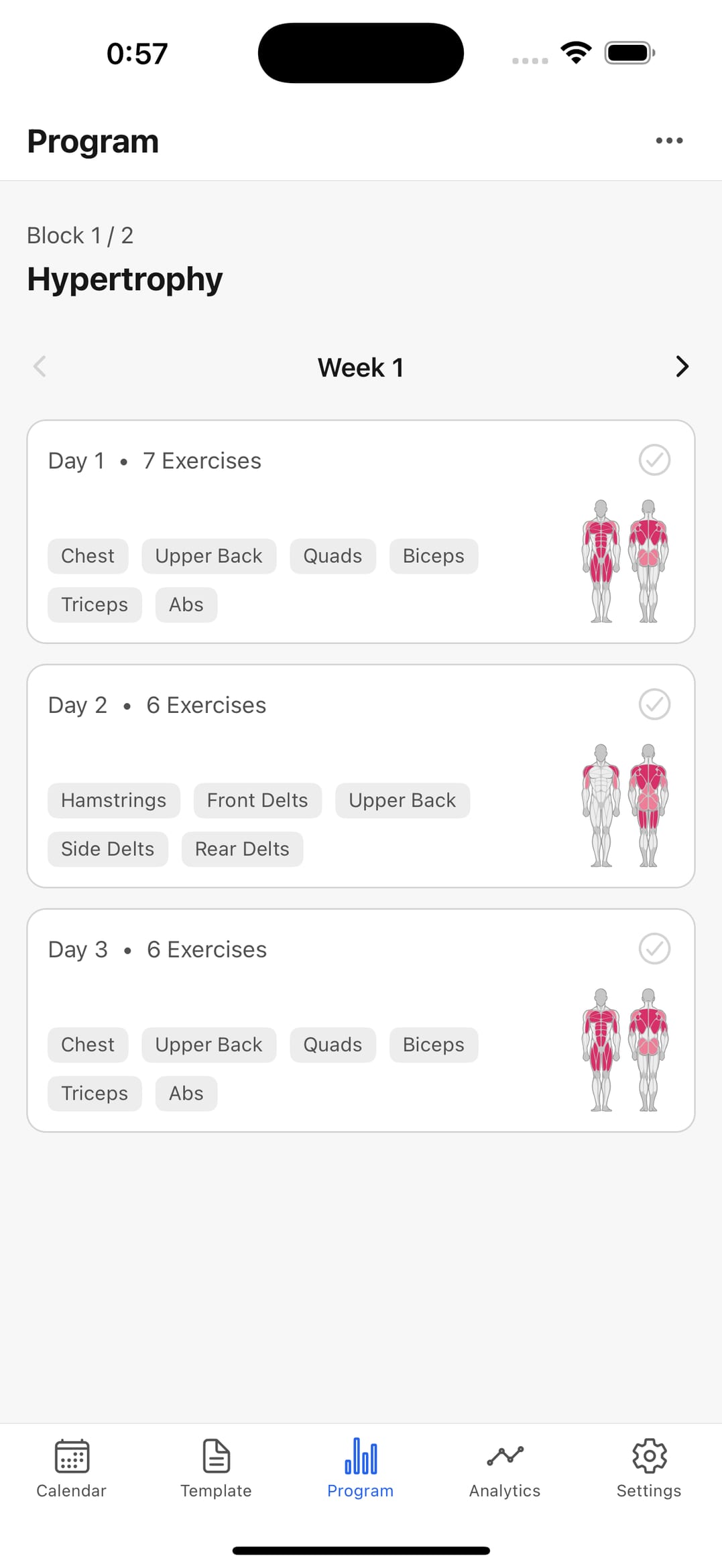
Compounds, machines, accessories — a fixed sequence per session. That removes the decision when you're tired and standing on the gym floor.
Log between sets without holding the rack
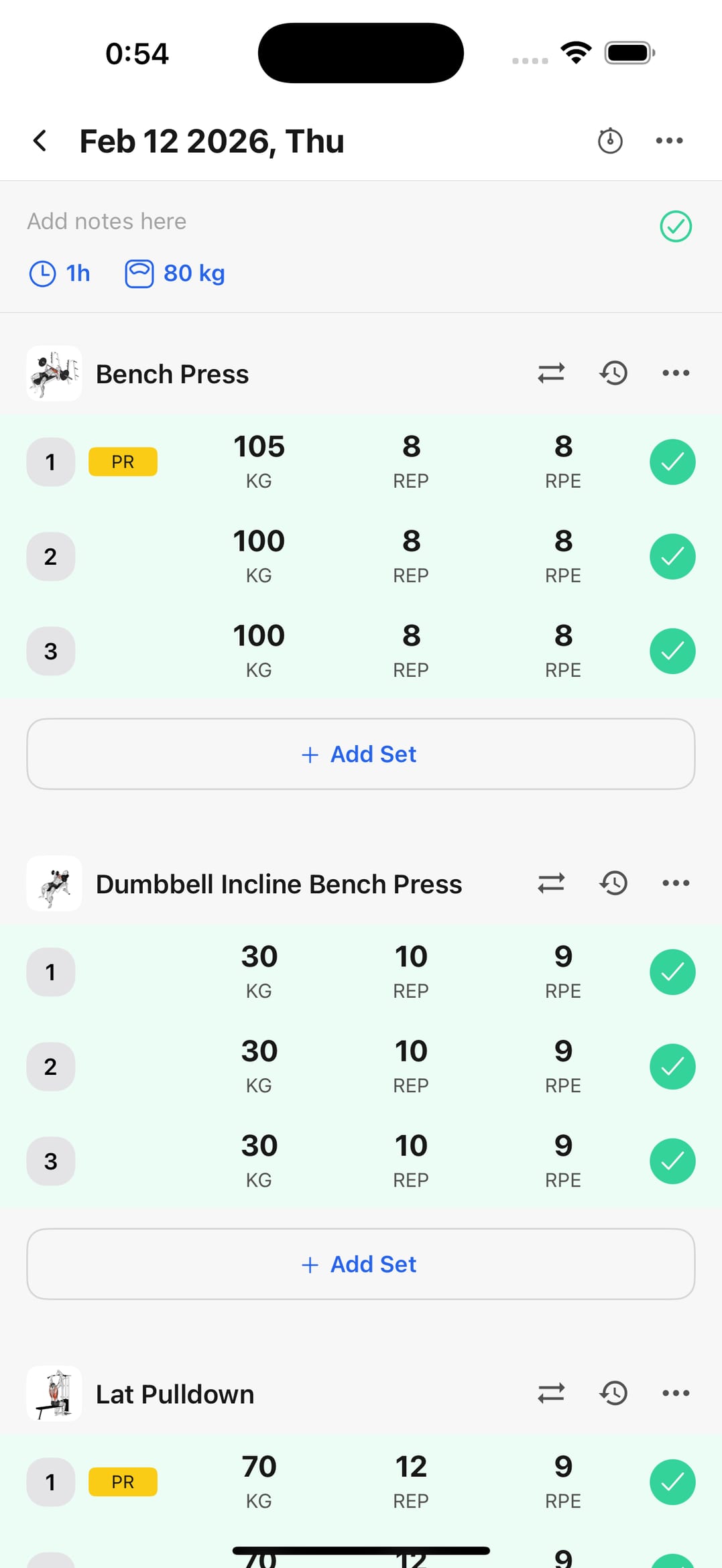
Set done, two taps, move on. The logging is built to fit inside your rest, not to add half a minute to it.
Watch each lift separately
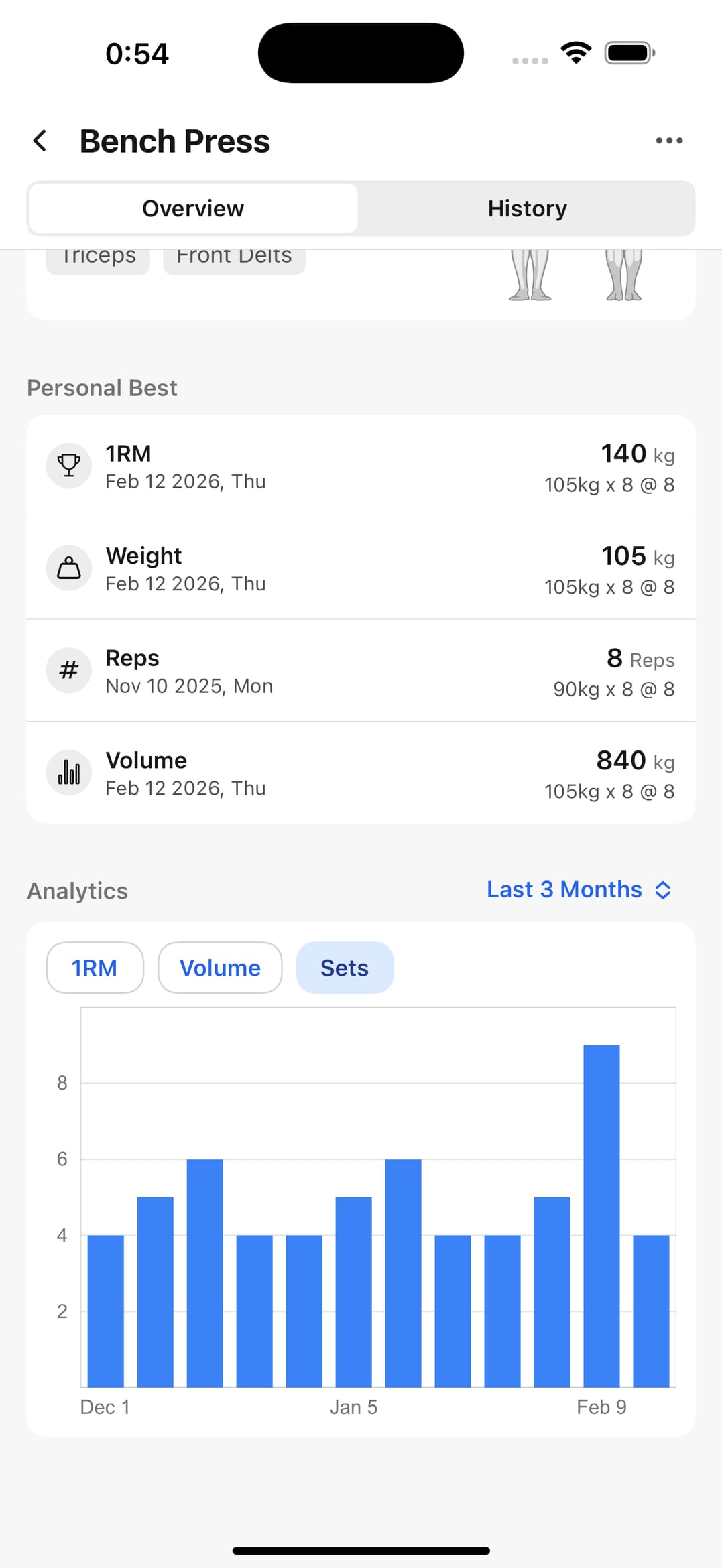
Your bench can be climbing while your squat has been flat for a month. Per exercise that's visible; in an overall average it isn't.
Built for the gym floor
Planning, logging, and progression in one flow.
Build your split
Structure the week around your goal and available days.
Session logging
Sets and weights updated during the block itself.
Exercise library
Add machine, barbell, or dumbbell variations you actually use.
History by date
Previous workouts reachable from the calendar.
Progress analytics
Volume and personal bests to set the next load against.
Frequently asked questions
What should a good gym app do?
Log a set in two taps, surface your history without hunting for it, and give you analytics that answer whether to add weight. The rest is secondary.
Can I check what I lifted while I'm still training?
Yes. You can see previous entries for that exercise mid-session — which is exactly when you need to know what you started with last time.
Does it handle machines and free weights?
Yes. You can mix both in the same session, and tracking runs per movement, so each one keeps its own history.
Is it free?
Free to start. Logging, history, and progress analytics are available at no cost; some advanced features are part of the paid plan.
Take it to the gym tonight
Log today's session and in two weeks you'll have something to compare. Free to start.