
Progressive overload app
WorkoutWise helps you log sessions and review total volume by exercise and muscle group in real time.


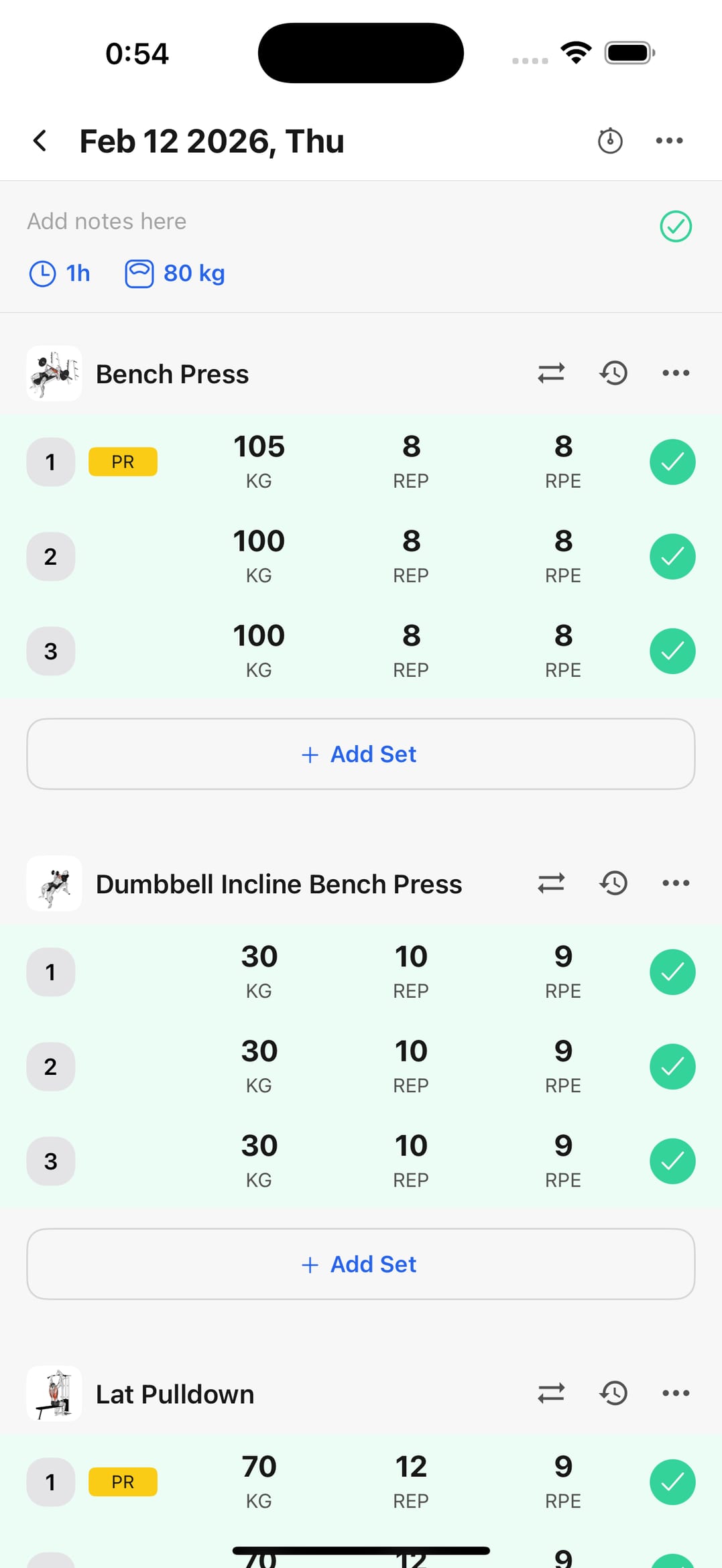
Log sessions quickly
A simple interface lets you record workouts smoothly, even during training.
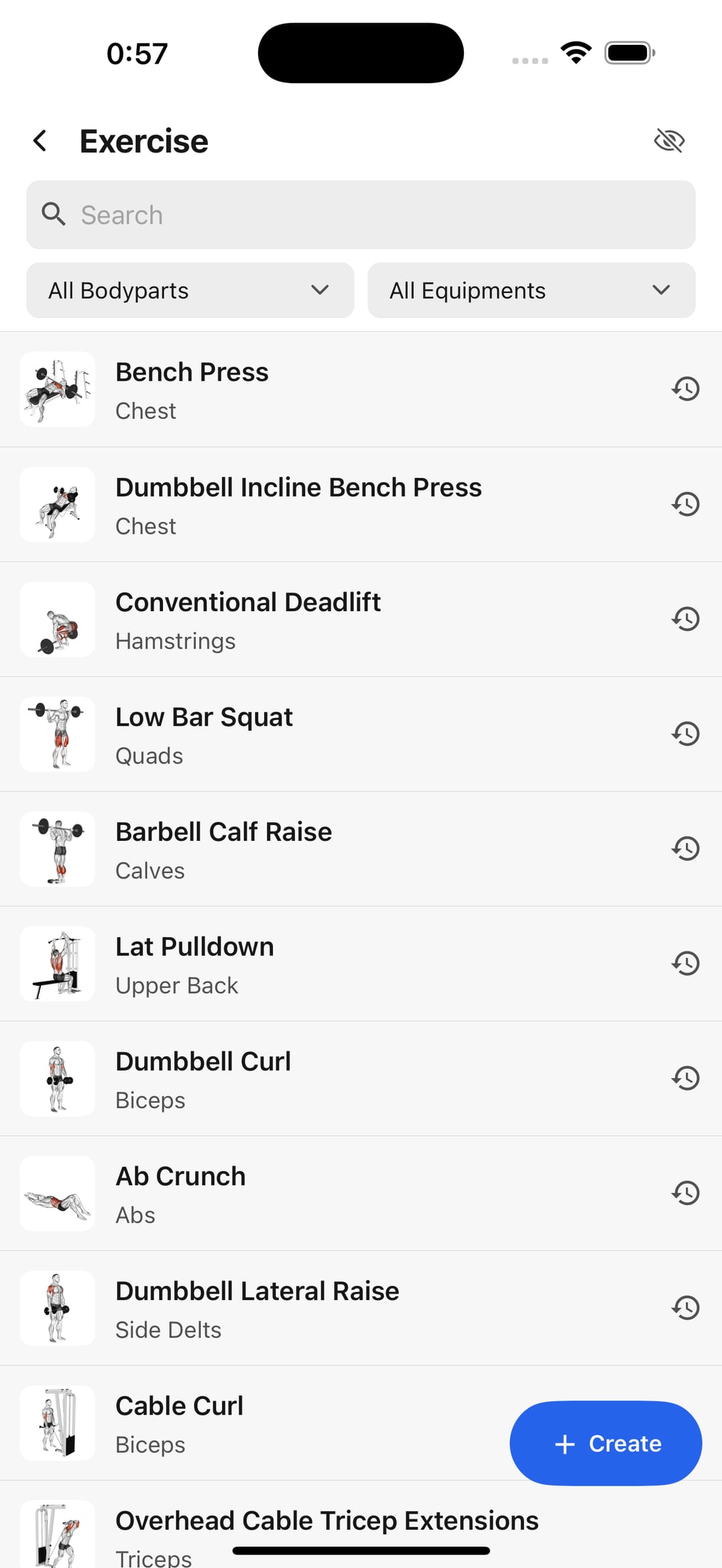
Support for any exercise setup
Use built-in exercises or create custom movements with selected equipment and muscle groups.
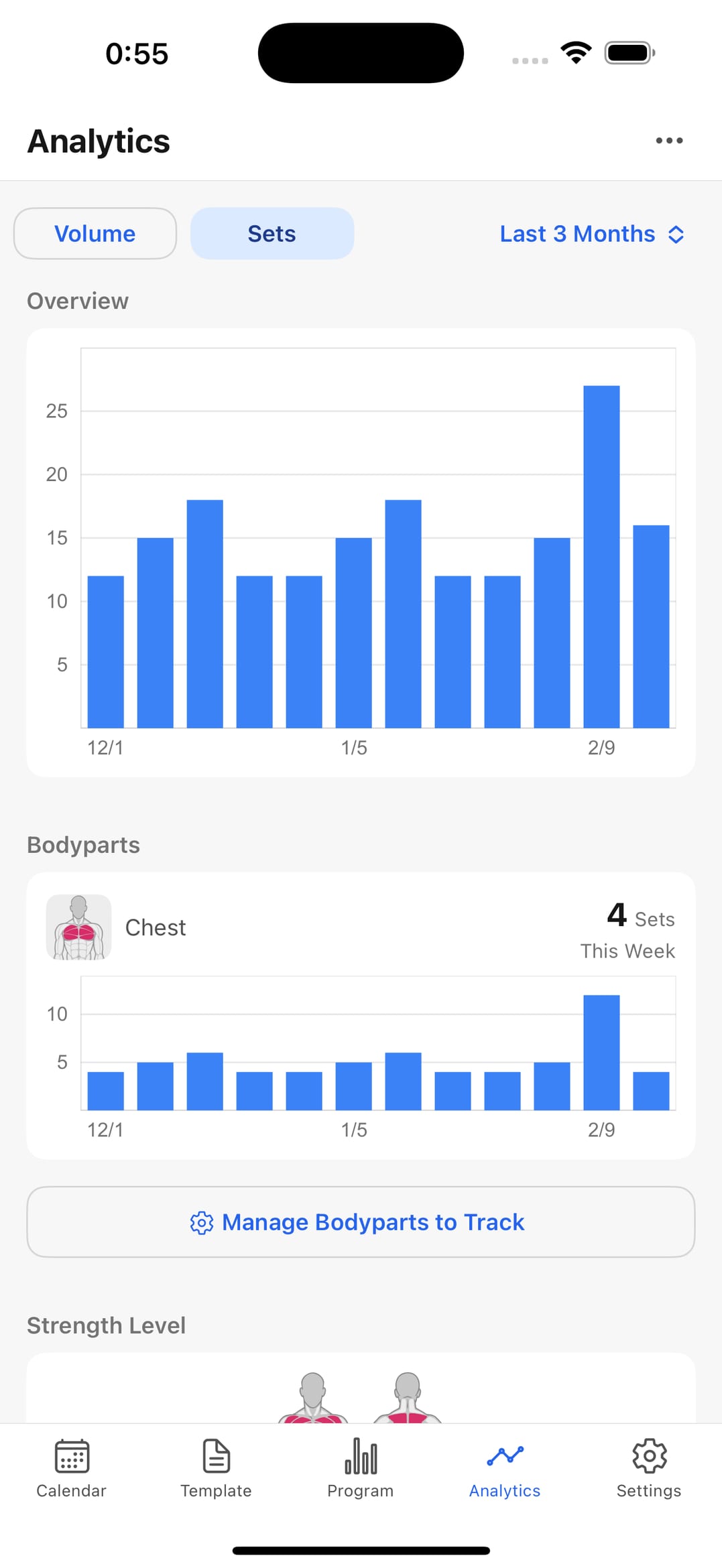
See volume by exercise and muscle group
After logging, metrics such as total volume, sets, reps, and estimated 1RM are updated automatically.
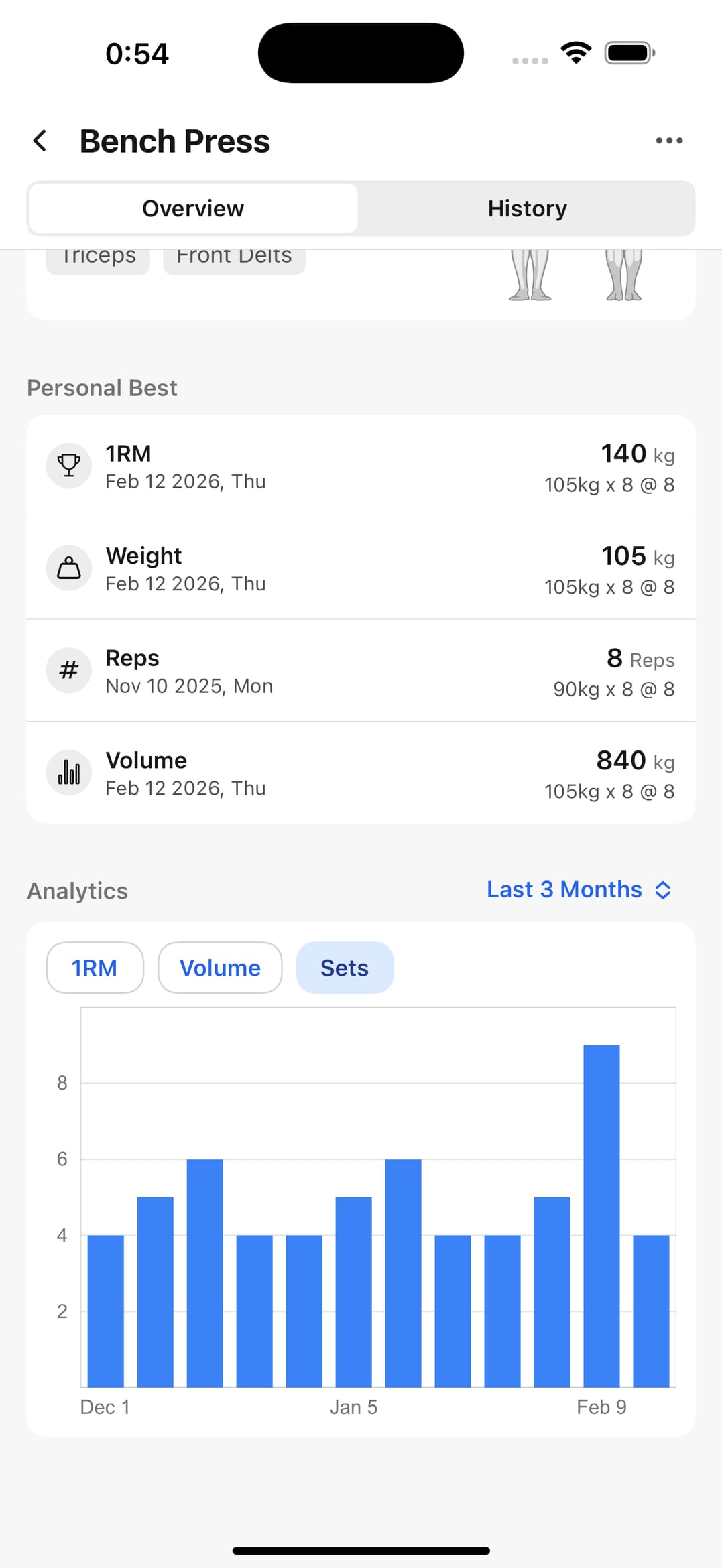
Tools that support complete training management
Beyond volume tracking, you also get program generation, templates, and history review.
AI program generation
Create personalized programs with target volume and exercise selection based on your profile.
Calendar review
Check your past workouts quickly in a calendar timeline.
Unlimited exercise library
Use built-in exercises or add custom movements without restrictions.
Template-based sessions
Create reusable day templates and start recurring workouts immediately.
Share training summaries
Share sets and volume results right after your session.
Frequently asked questions
What is training volume?
Training volume is the total load you move and is commonly calculated as weight x reps x sets.
Why does tracking volume matter?
It helps you apply progressive overload with objective data, especially when progress stalls and you need to adjust training load.
Can I also track sets and reps?
Yes. You can review set and rep totals, along with volume, by exercise and muscle group.
How often should I review volume trends?
A weekly review is a practical baseline. It helps you spot plateaus early and adjust load or set volume with better control.
Start managing workout volume today
Download the app and begin tracking your training in minutes.