Workout calendar app
Your plan and what you actually did, on the same calendar. The blank days are the ones worth paying attention to.


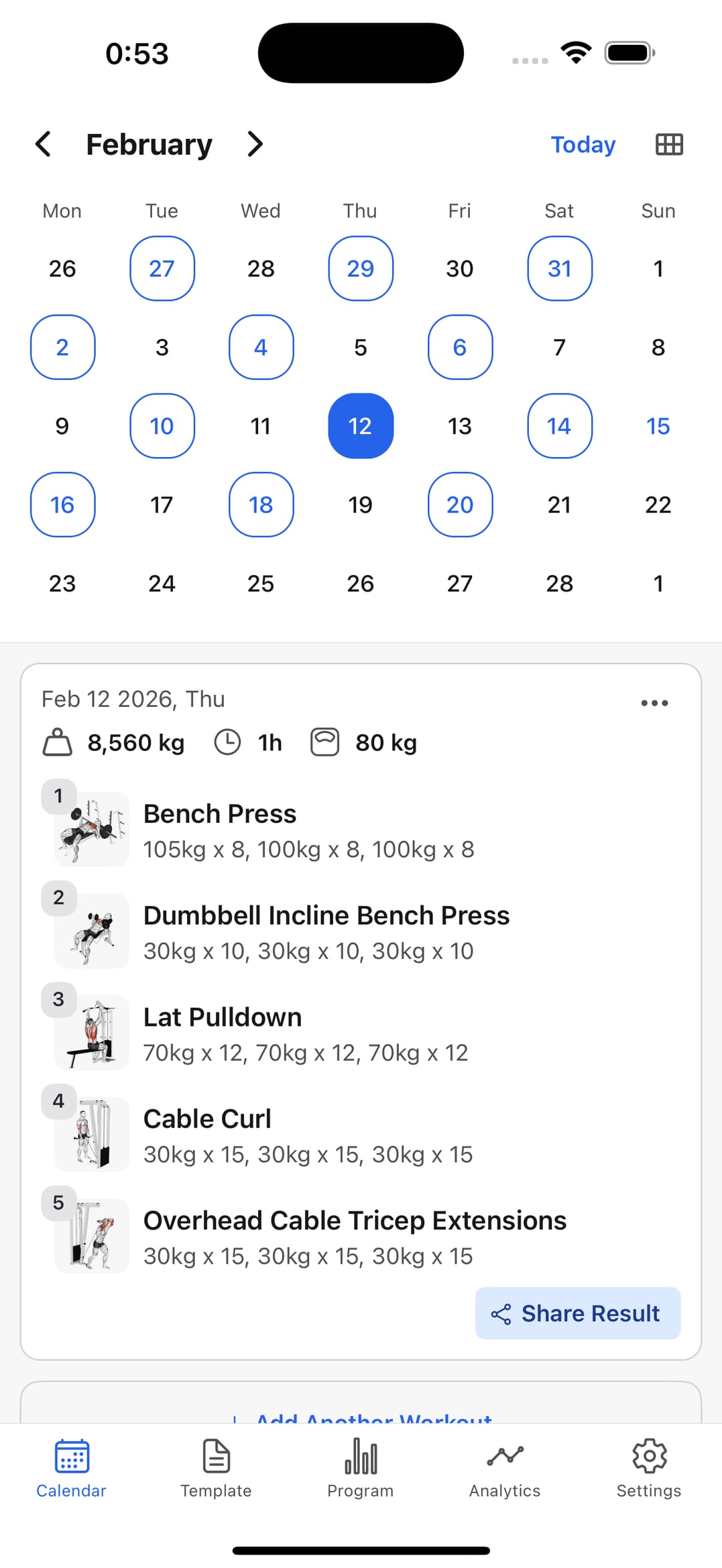
See your real weekly rhythm, not the intended one
Almost everyone trains fewer days than they think. The calendar gives you the actual number, and that's what you should plan against.
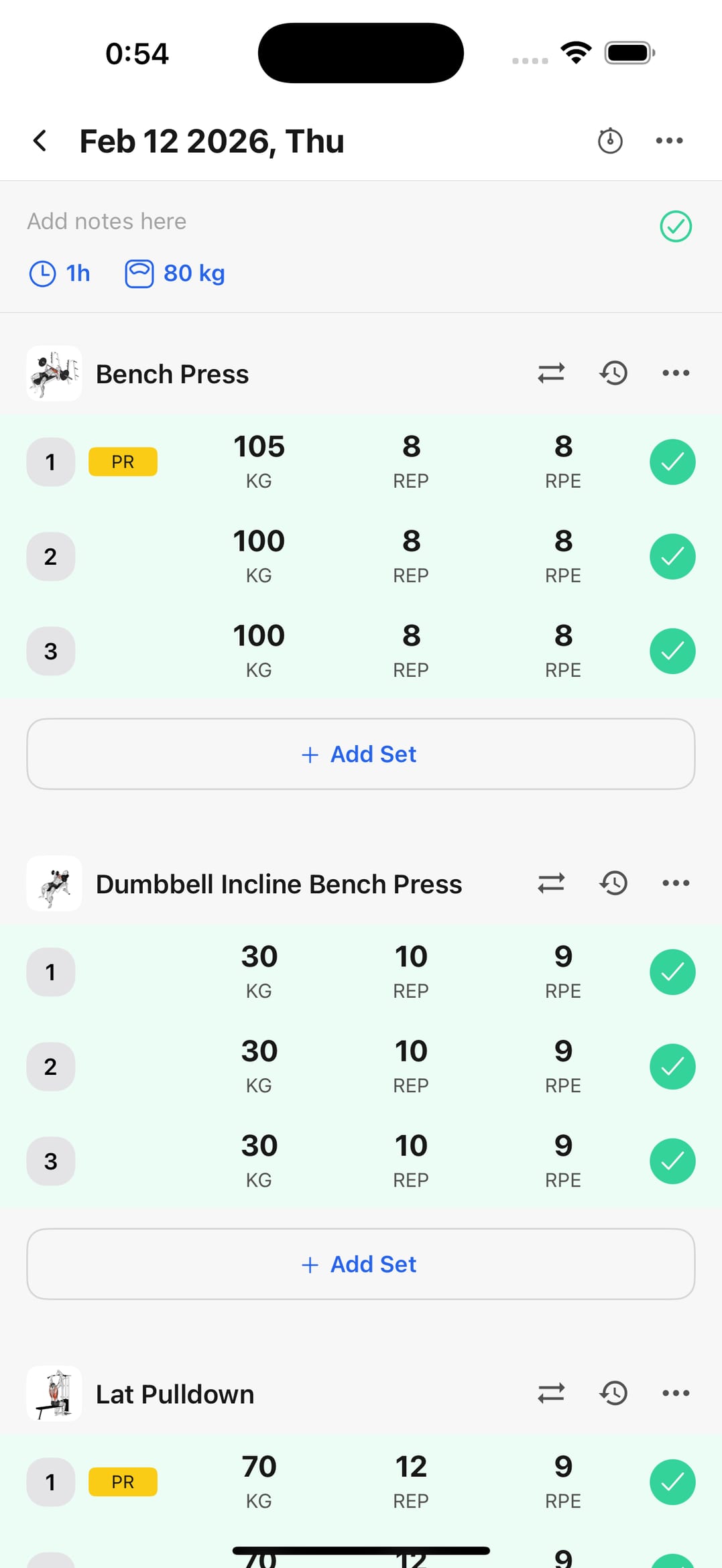
Open the day and log straight into it
Tap the session on the calendar and record sets, reps, and load without leaving it. Planning and history stay one thing, not two.
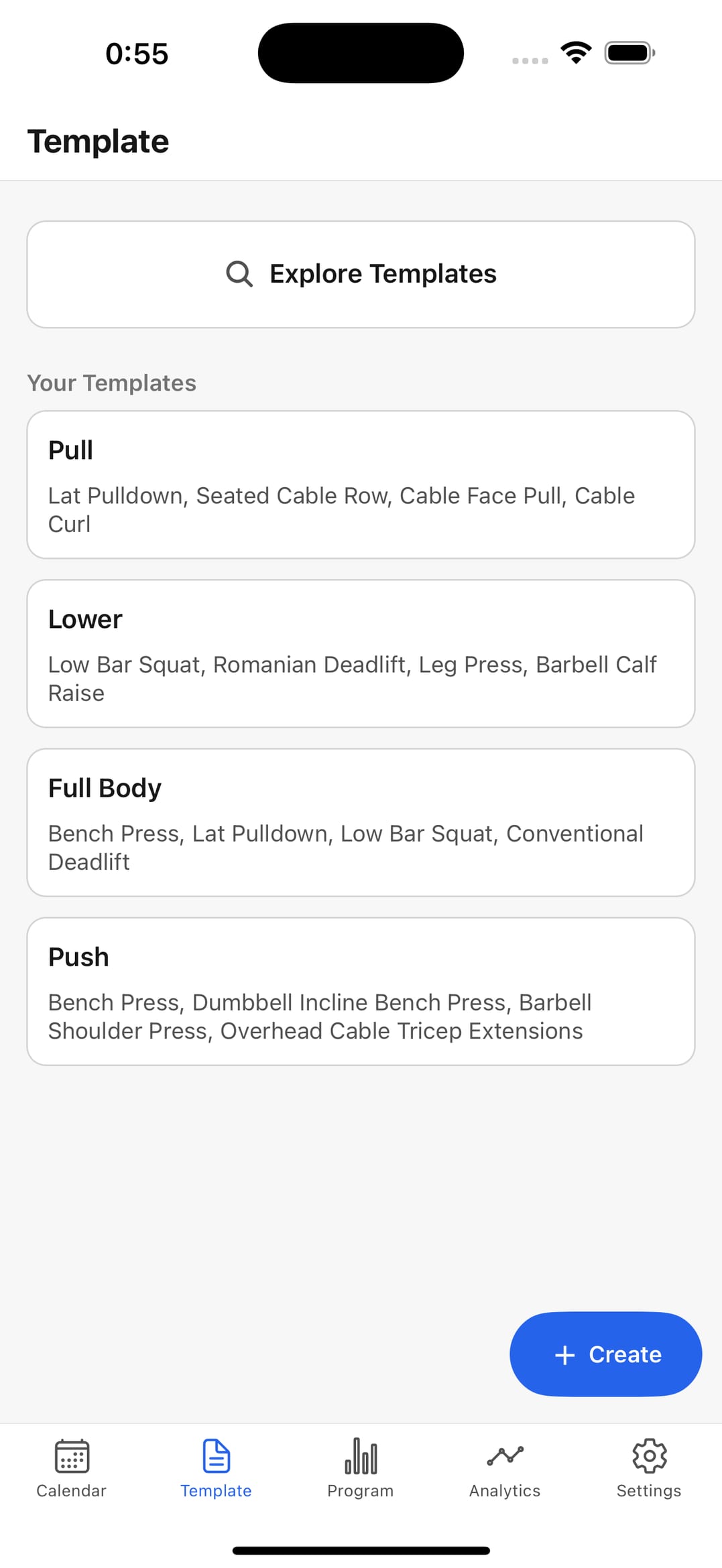
Reuse the same sessions across the weeks
Save your push, pull, and leg days as templates and drop them onto training days instead of rebuilding them each time.
What a workout calendar should cover
Planning, doing, and reviewing in one place — that's what makes it stick.
Calendar overview
Completed sessions and blank days on one timeline.
Workout logging
Capture set-by-set performance during the session.
Program support
Keep goal-based routines ready for the week ahead.
Template relaunch
Start repeated sessions in seconds from saved templates.
Progress analytics
Watch volume and performance accumulate over the weeks.
Frequently asked questions
What does a workout calendar app do?
It puts your planned training days and your completed sessions on one timeline, so you can see your real frequency rather than the one you intended.
Does it work for a 3-day or 4-day split?
Yes. Place recurring sessions on the weekly calendar and relaunch each one from a template, so the split runs itself.
Why use a calendar instead of just a log?
A log tells you what you lifted; a calendar tells you when you stopped. Missed days and broken streaks are obvious on a timeline and invisible in a list.
Is it free to start?
Yes. Logging and calendar tracking are free; some advanced features are part of the paid plan.
Put your training week on one calendar
Download the app and log today's session. Free to start, on iPhone and Android.